TASSTA

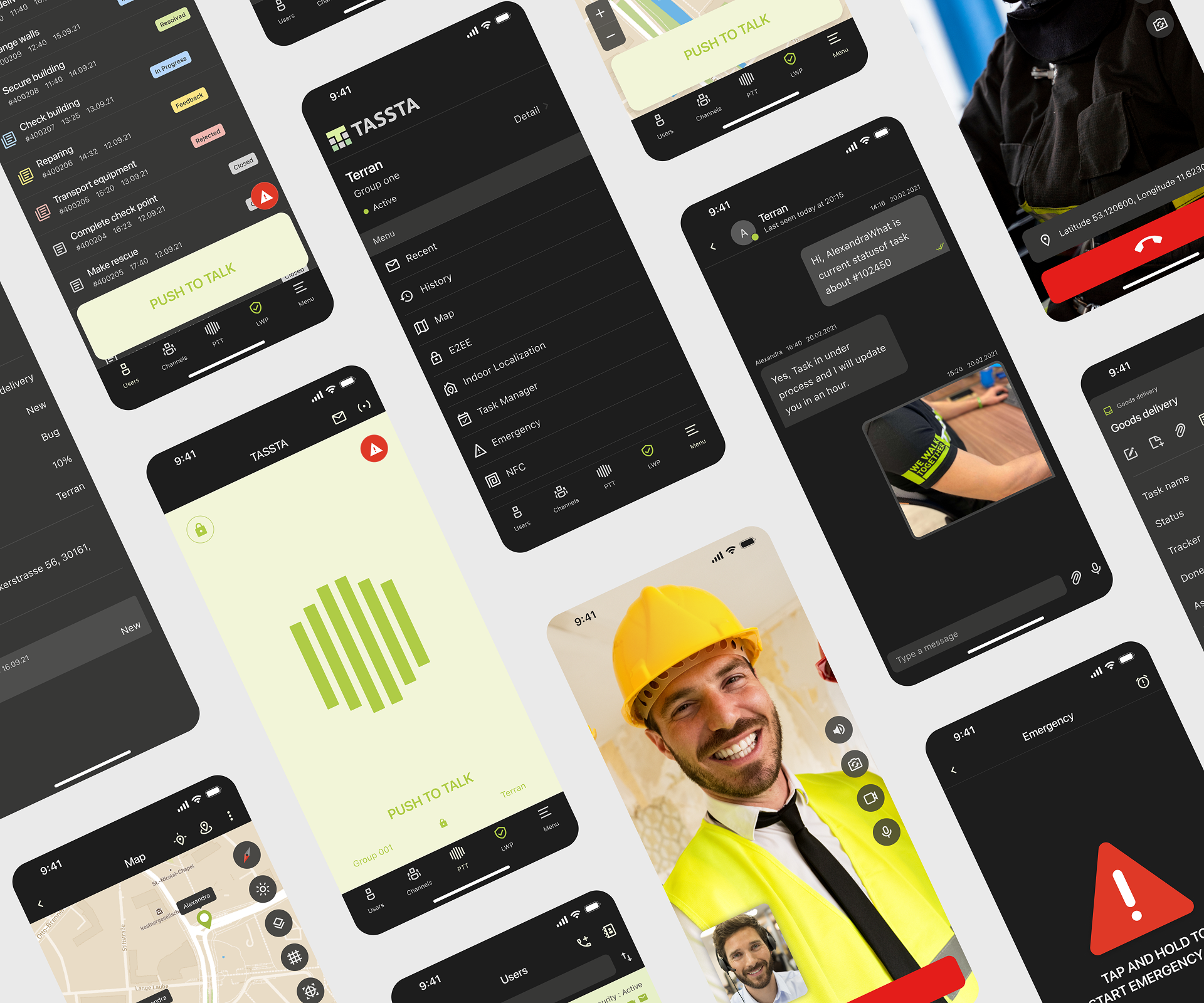
All-in-one Mission Critical communications powerhouse that connects people in a variety of ways in a wide range of situations. Its capabilities comprise Voice and Video Calls, Messaging, Tracking, and Task Management.

Overview

Tassta is a professional Push-to-Talk (PTT) solution designed for industries that rely on instant communication, including public safety, logistics, and enterprise operations. As a Lead Product Designer, my role was to improve the usability, accessibility, and visual consistency of Tassta’s mobile and desktop applications to meet the demands of mission-critical users.

Role

Lead Product Designer, Art Director

Responsibilities

Team Led, UI design, UX research, Brand Identity

Challenges

The project faced challenges such as complex user workflows, an outdated and inconsistent UI, and the need for real-time accessibility in high-pressure environments. To address these, I redesigned and developed a unified design system, and optimized the interface for quick interactions and enhanced visibility. Working closely with developers and stakeholders, I ensured a seamless, user-centric experience despite technical constraints.

Approach

Performed in-depth research and analysis of user needs with a focus on public safety, logistics, and emergency scenarios, mapping end-to-end user journeys and defining a clear information architecture across workflows such as communication, location tracking, alerts, and data exchange; developed low-fidelity wireframes and prototypes to validate structure and flow prior to visual design, established a modular design system covering typography, color, iconography, layouts, and reusable components to ensure consistency across a complex feature set, and delivered high-fidelity UI and interactive prototypes refined through usability testing under realistic, scenario-based conditions.
Project goals

UX RESEARCH USER JOUNREY USER FLOW PROTOTYPE

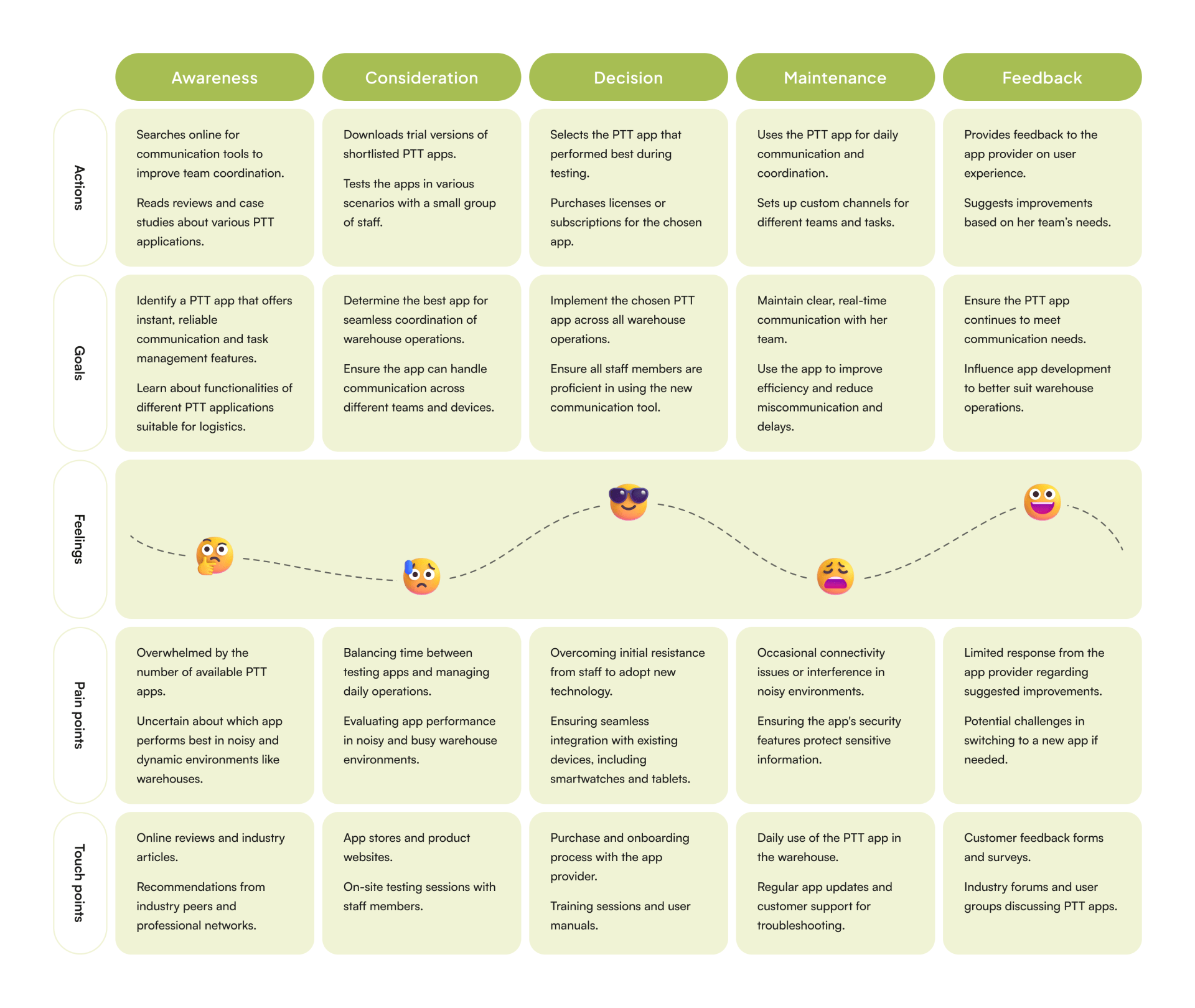
User Journey

After defining the personas, we created a User Journey to outline key scenarios users might encounter. We began with the activation state, where users recognize how tech companies control data and how our app offers a solution, and moved to the retention state, where users are familiar with the product and choose to share it with their network.

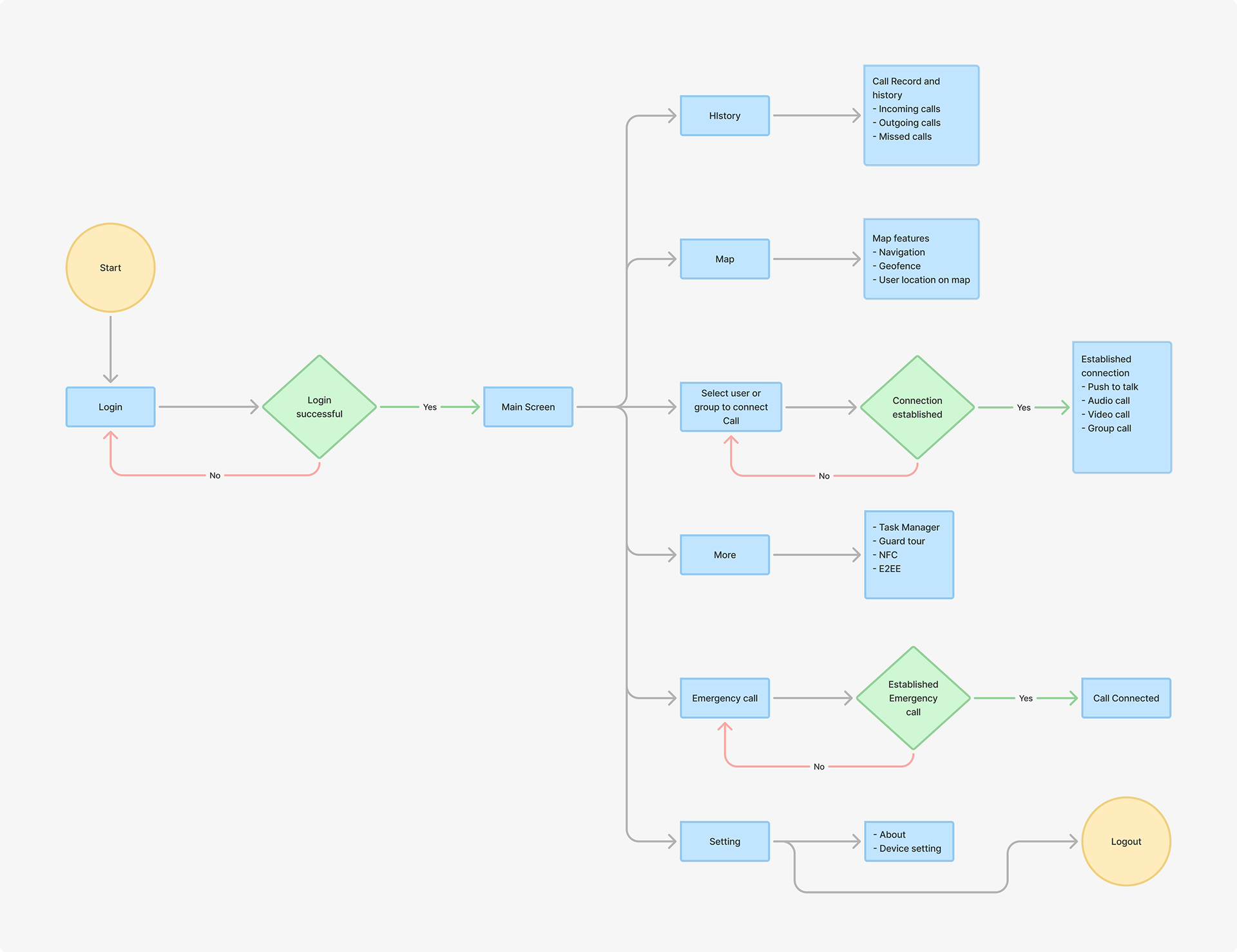
User Flow

I streamlined Tassta’s user flow by reducing unnecessary steps and improving access to critical features like Push-to-Talk and emergency alerts. The optimized flow prioritized speed, clarity, and efficiency, ensuring users could quickly respond in high-pressure situations.

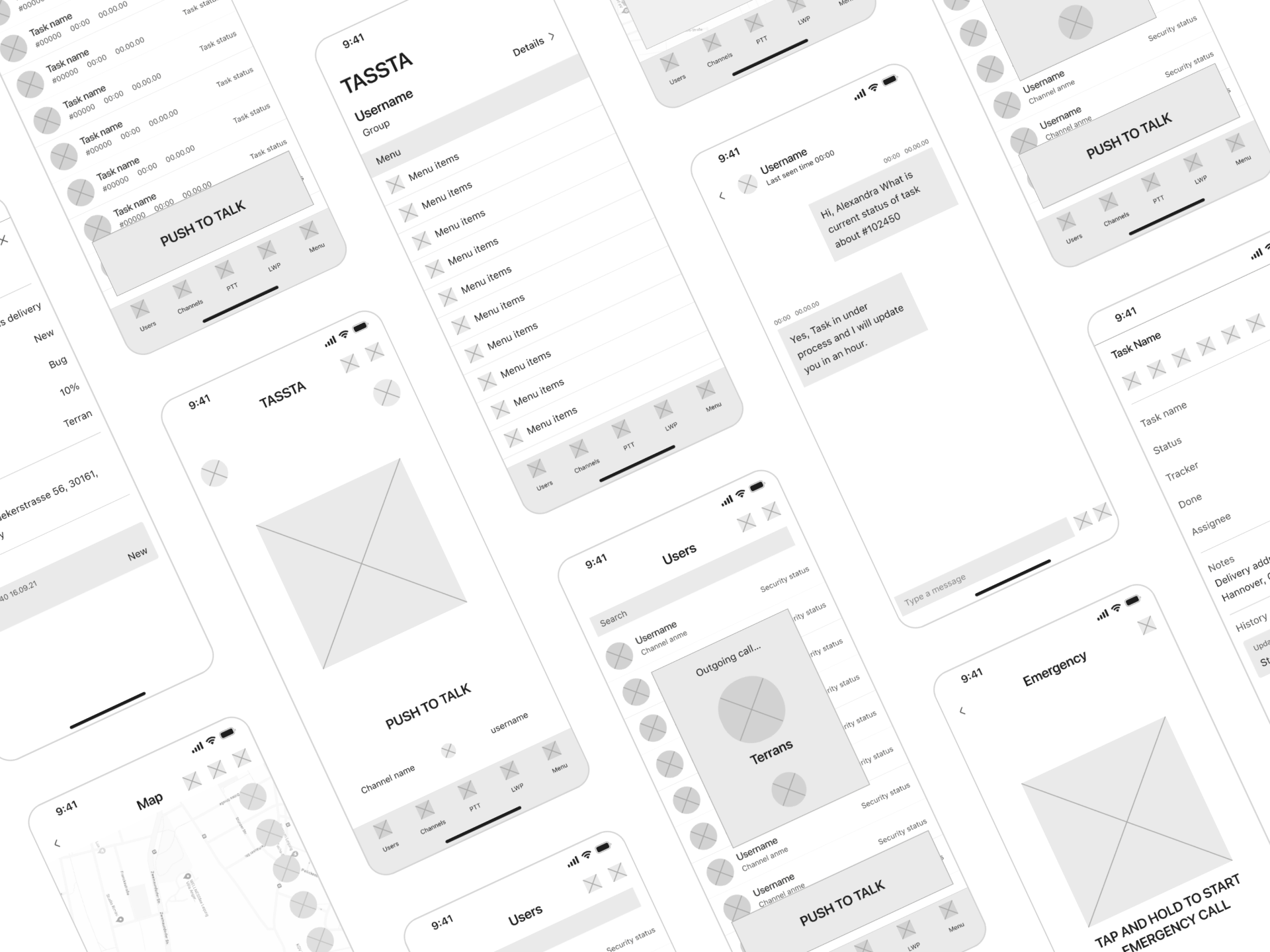
Low-fidelity Prototype

After validating the journey map with the team, I began creating low-fidelity wireframes to come up with different solutions for each touchpoint of the app. This was very helpful in eliminating all the bad ideas and retaining what works best for the next steps.

UI DESIGN DESIGN SYSTEM PROTOTYPE

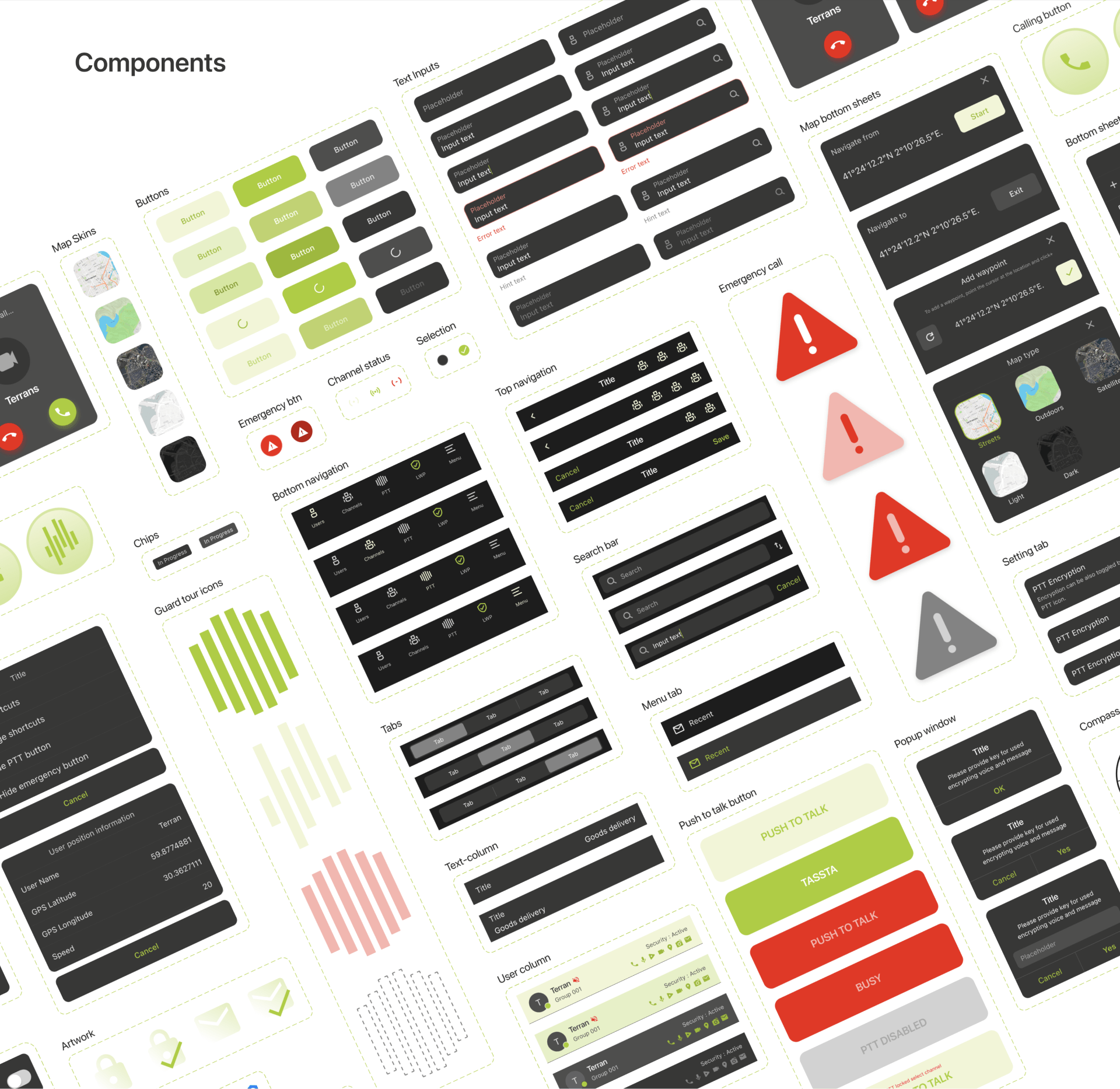
Design system

The design system includes essential information regarding the color palette, encompassing hex codes and transparencies, as well as typography details such as font types, weights, and sizes. Moreover, I developed a series of components in Figma with suitable variants that can be consistently reused throughout the design process.

BRINGING IT ALL TOGETHER

At this stage, all that’s left is bringing all the elements together— the features defined in the initial mockups, the app layout derived from the sitemap, and the UI features according to the design system.

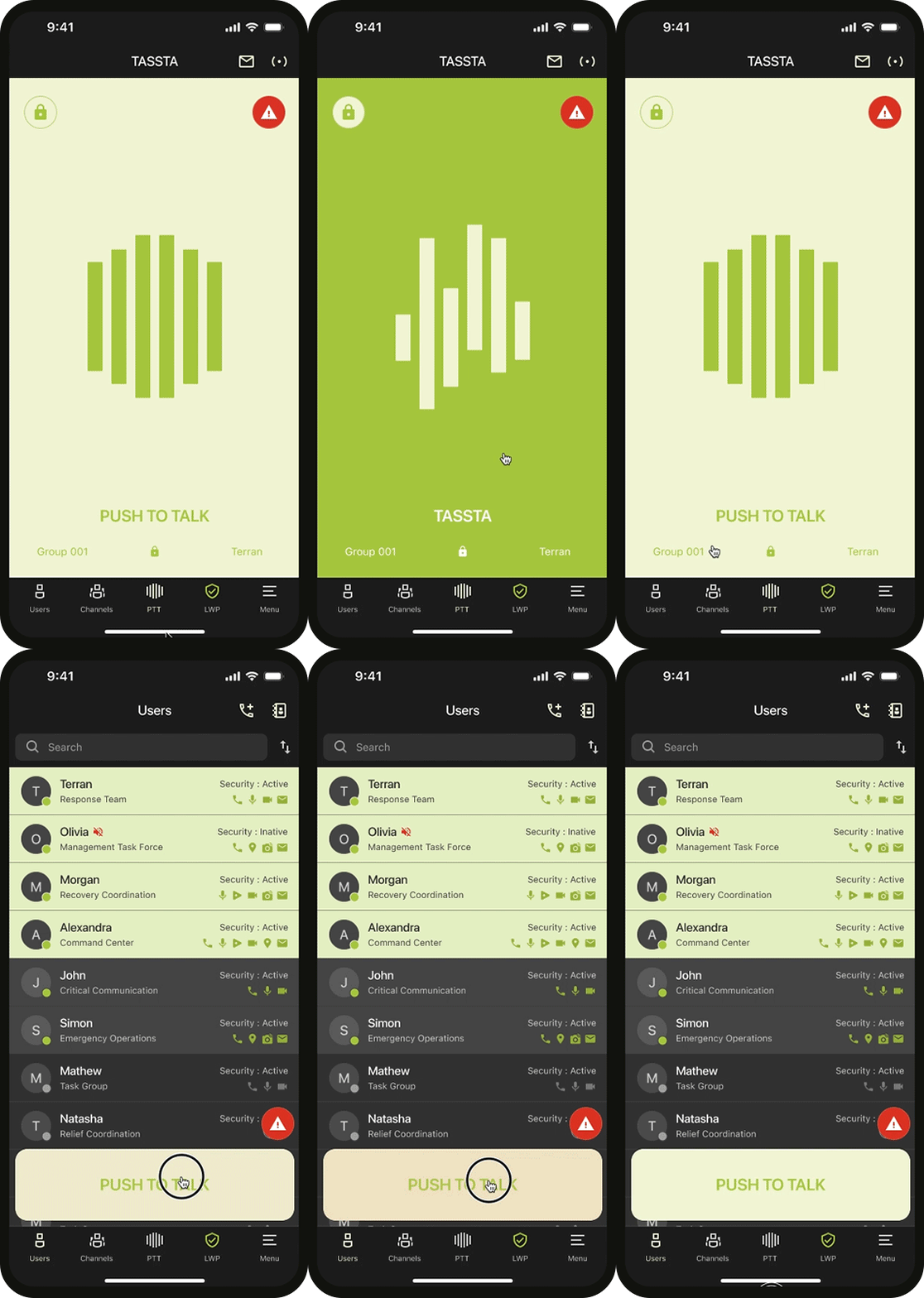
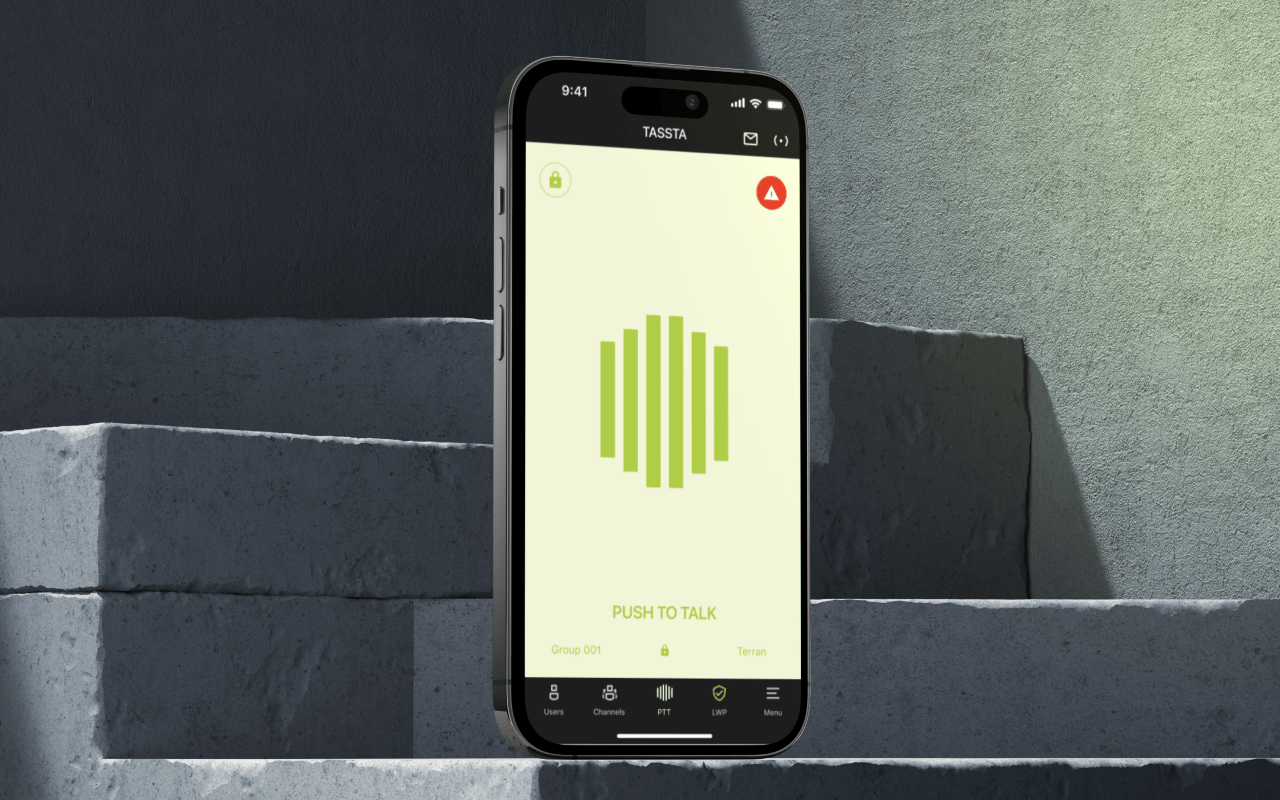
Push to Talk

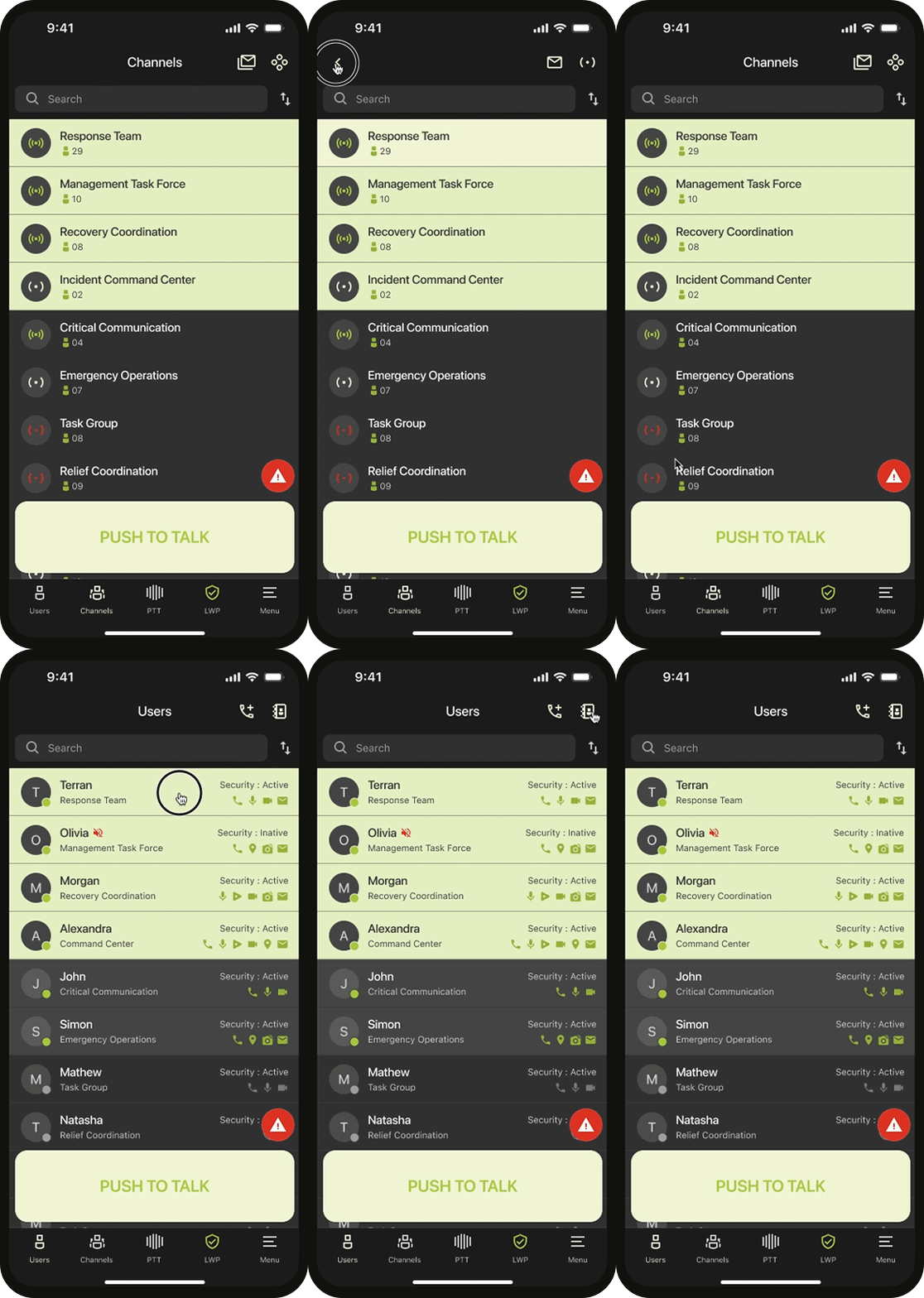
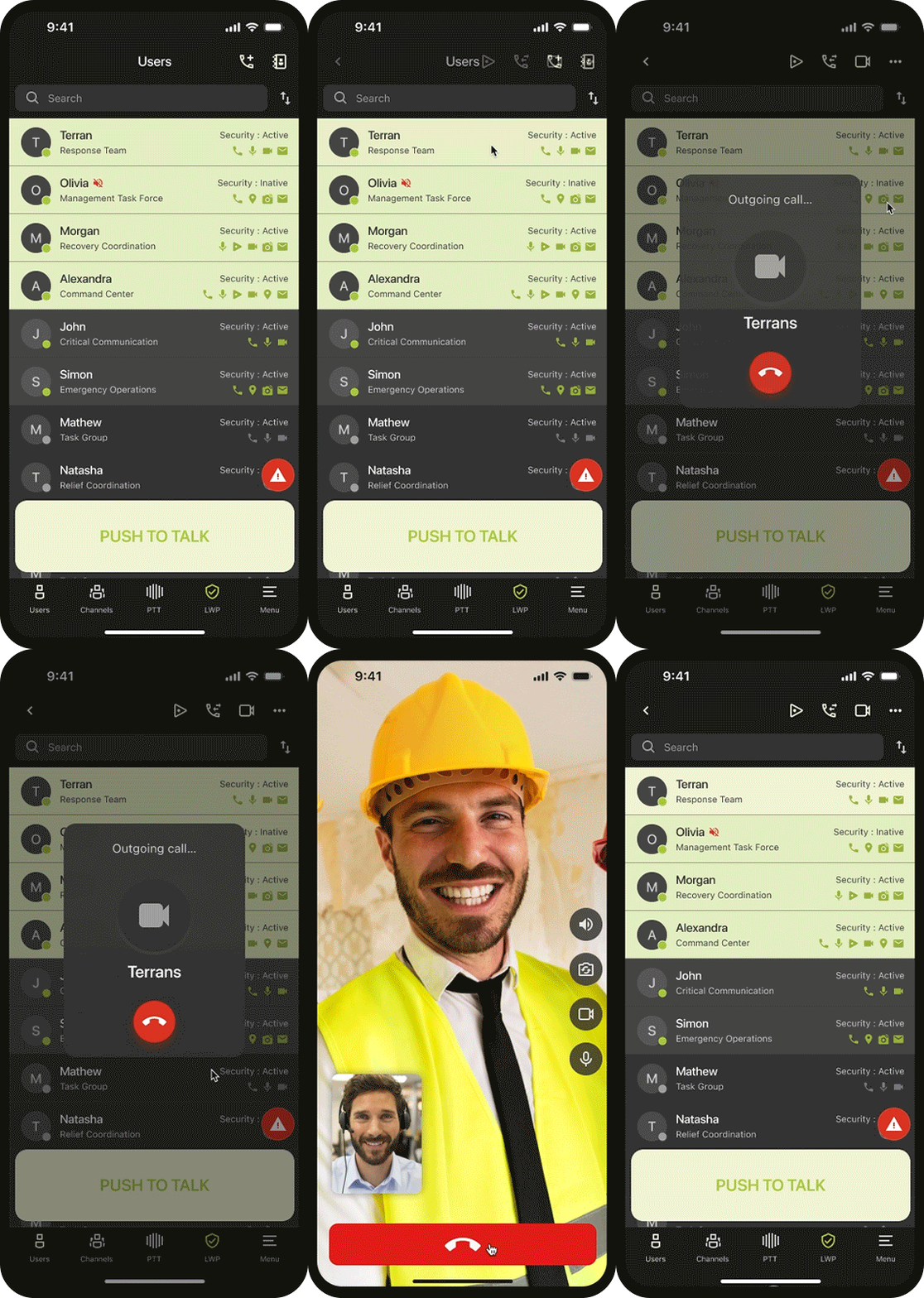
Contacts

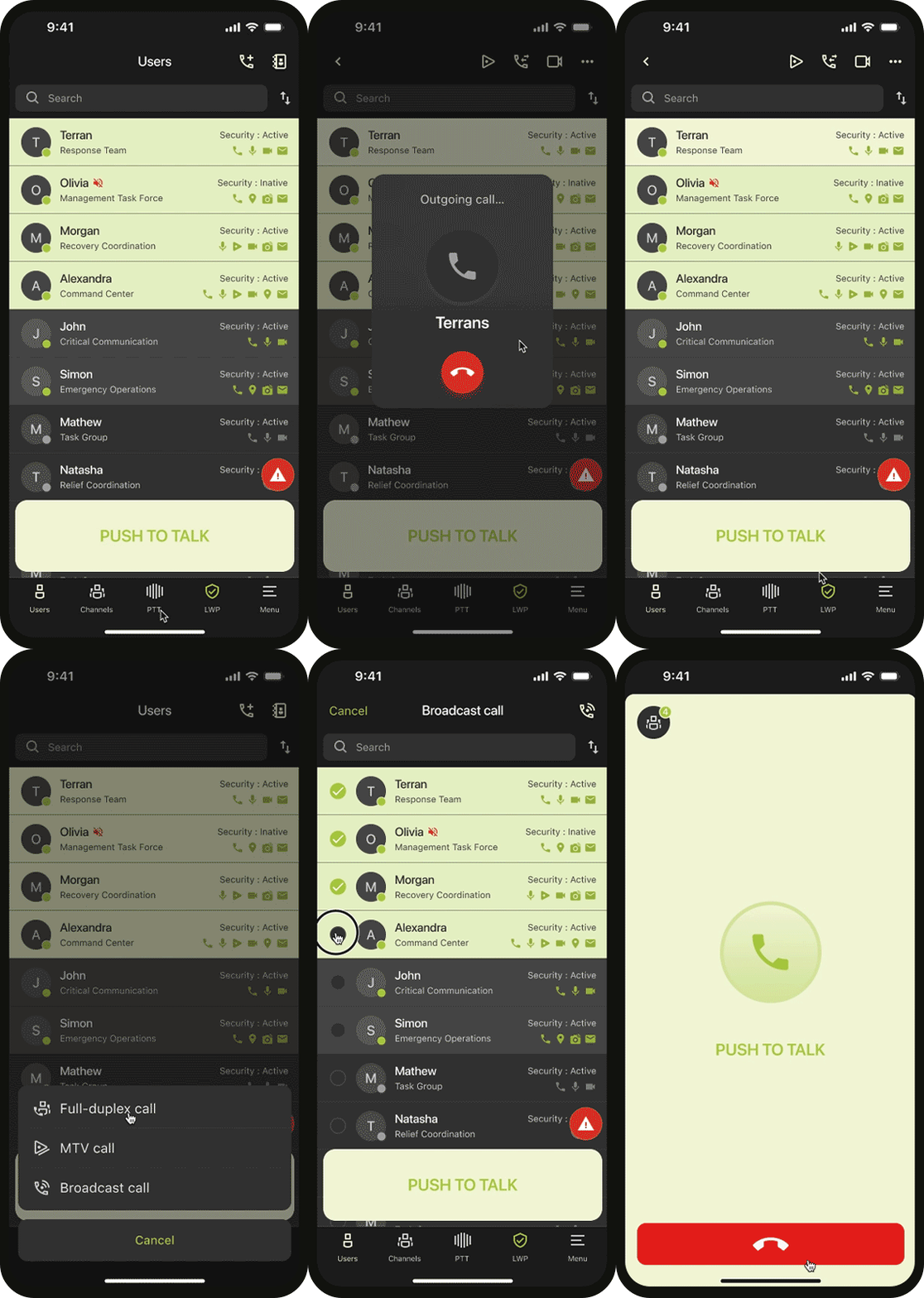
Voice Calls

Video Calls

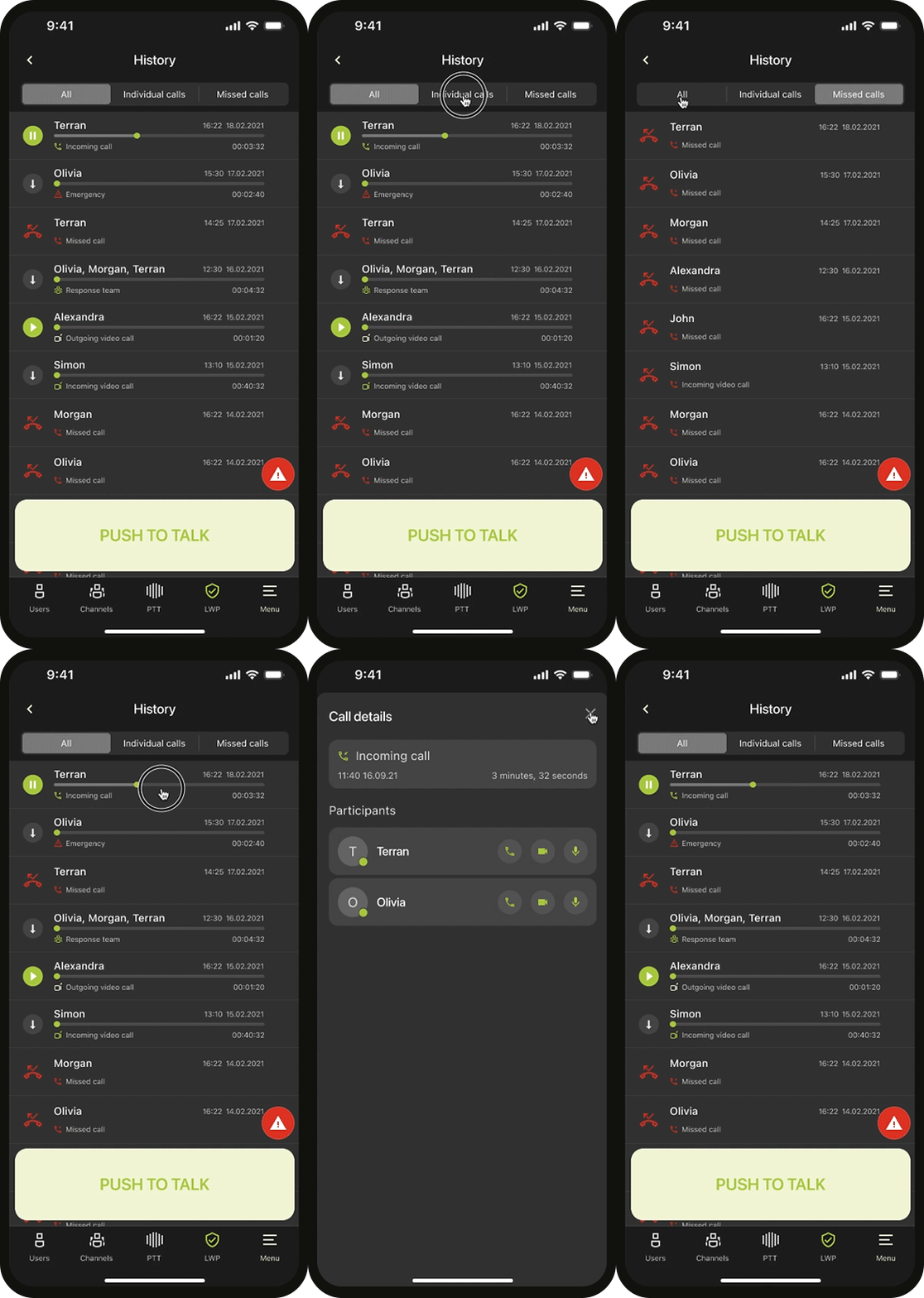
History

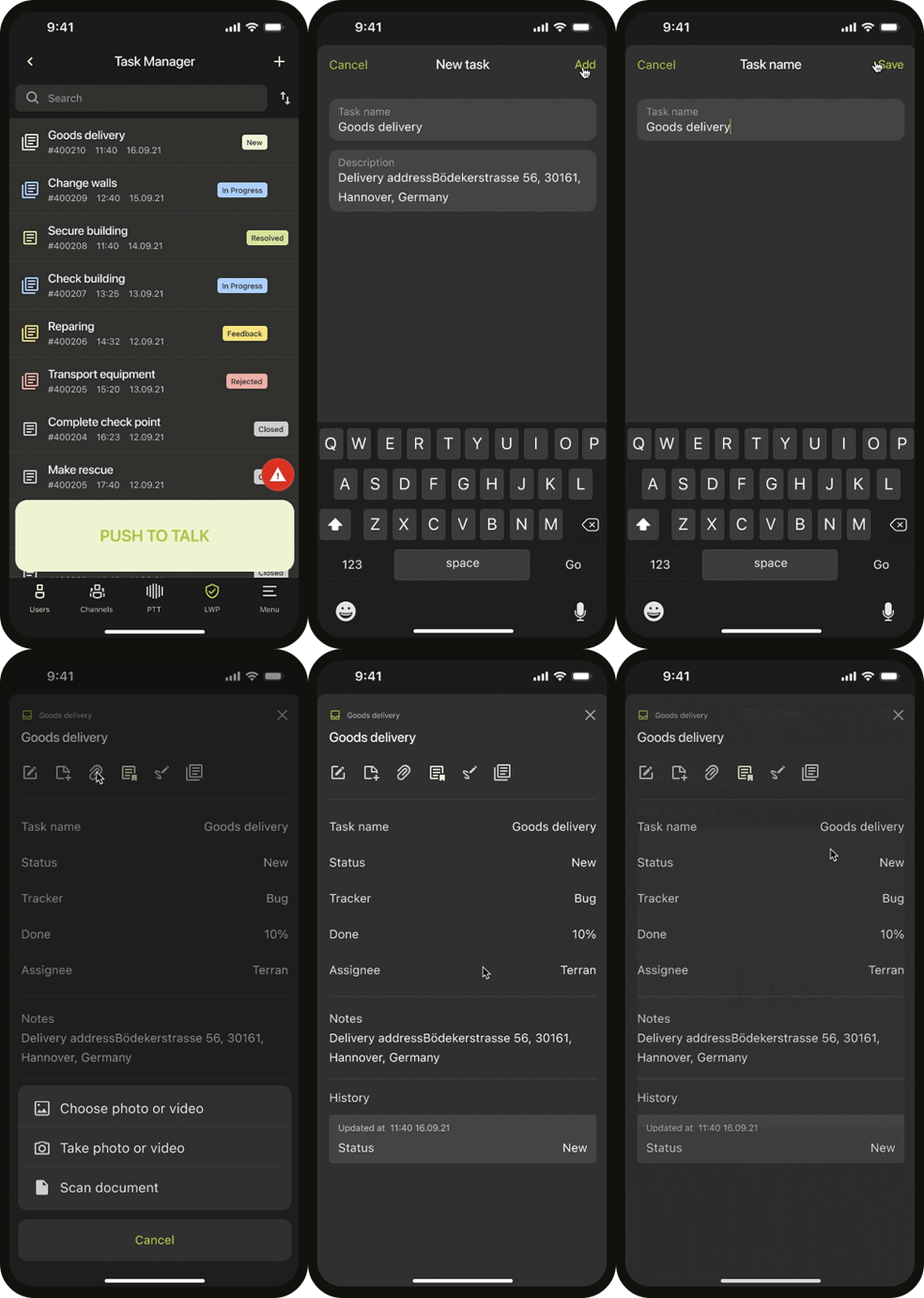
Task Manager

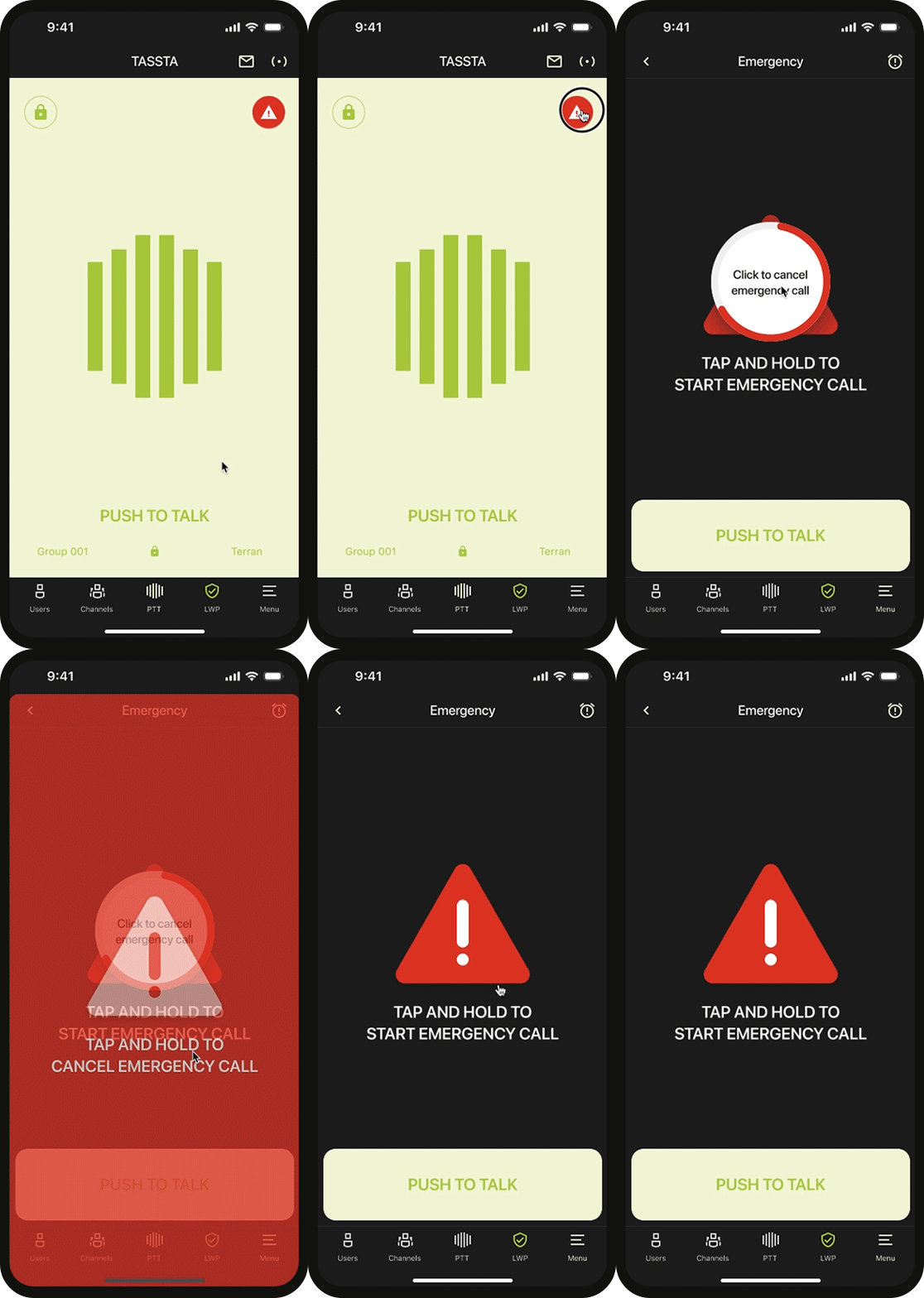
Emergency

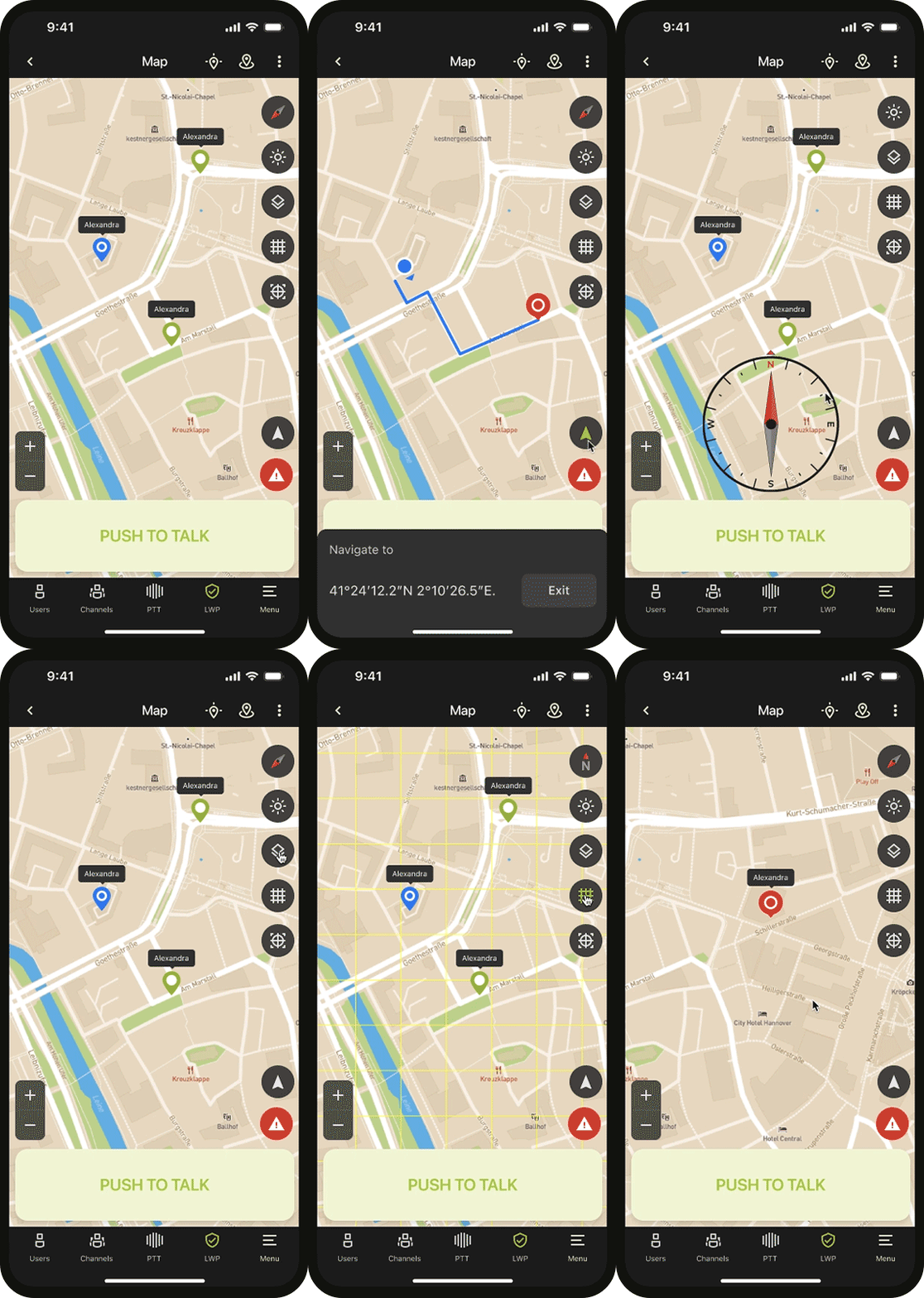
Map Localization

Final Thoughts

After releasing a private beta and observing some changes, the initial research and usability tests provided a strong foundation to scale the app. I believe design can significantly aid public protection, disaster relief, and safety efforts. Mission-critical communication apps offer secure and reliable services. This project allowed us to develop a user-centered app and test it with real users, demonstrating that focusing on intuitive, appealing, and easy-to-use products presents a great opportunity for MCX applications.